Basic Elements
 Interactive
 Content
 Miscellaneous
 Social
 Search
 Accordion
 Animation Shortcode
 Badge
Badge Blur
Blur Boxframe
 Button
 Button Group
 Columns
 Description List
 Dropcap
 Google Map
 Highlights
 Horizontal Rule
 Icon
Icon Icon Heading
 Image Effects
 Label
Label Lead
Lead List
List Notifications
 Page Header
 Panel
Panel Popover
 Pricing Table
 Progress Bar
 Responsive Image
 Section Heading
 Separator
 Servicebox
 Tables
 Tabs
Tabs Testimonial
 Video
Video Well
Well Widget
How to activate EBS-Pro plugin?
Thanks for the purchase of Easy Bootstrap Shortcodes Pro Plugin.
First of all download the PRO plugin from the link provided in the purchase receipt. Install the PRO plugin to your wordpress site. Now deactivate the EBS plugin if installed, and activate the EBS-Pro plugin.
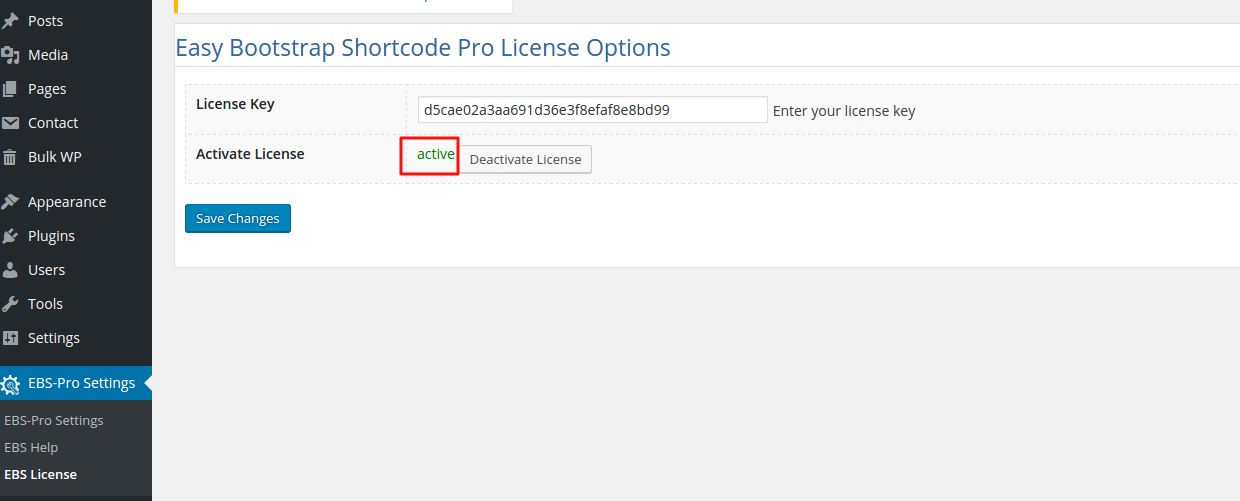
After installing and activating the EBS-Pro plugin follow these steps to activate the license key
1. Login to admin panel
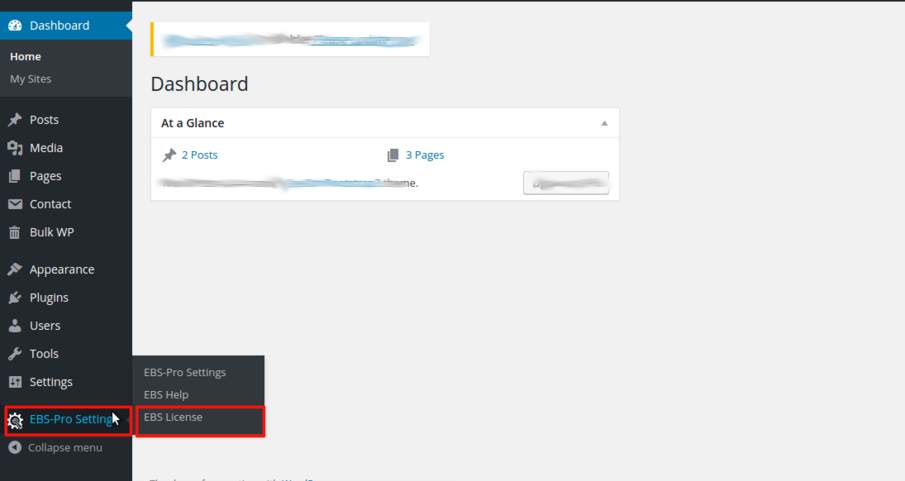
2. Go to EBS-PRO Settings >> EBS License
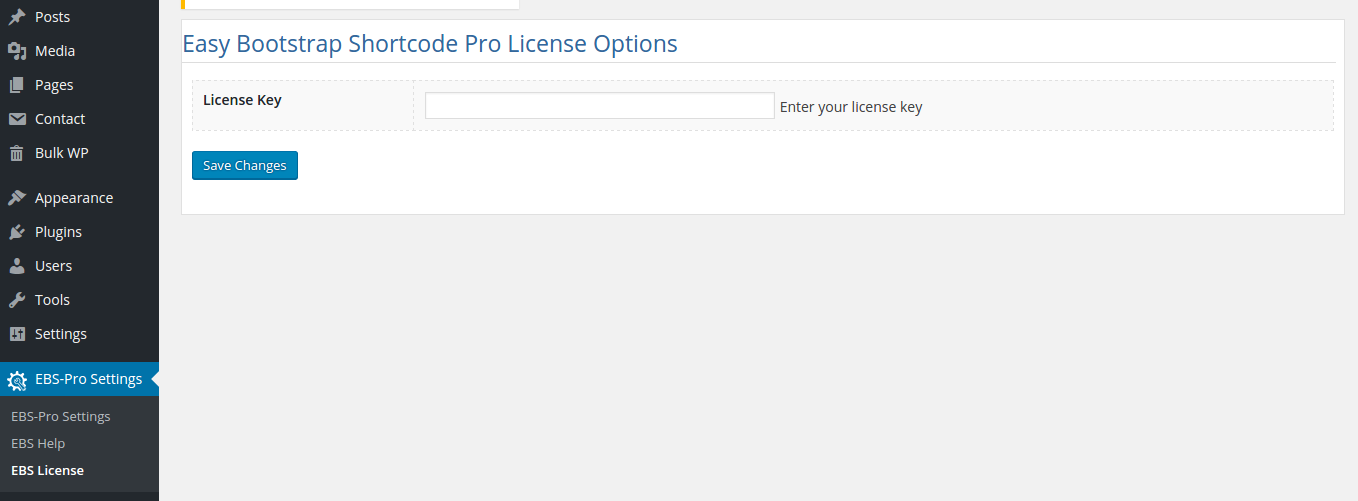
3. On this screen you have to enter the license key and click on the Save Changes button.
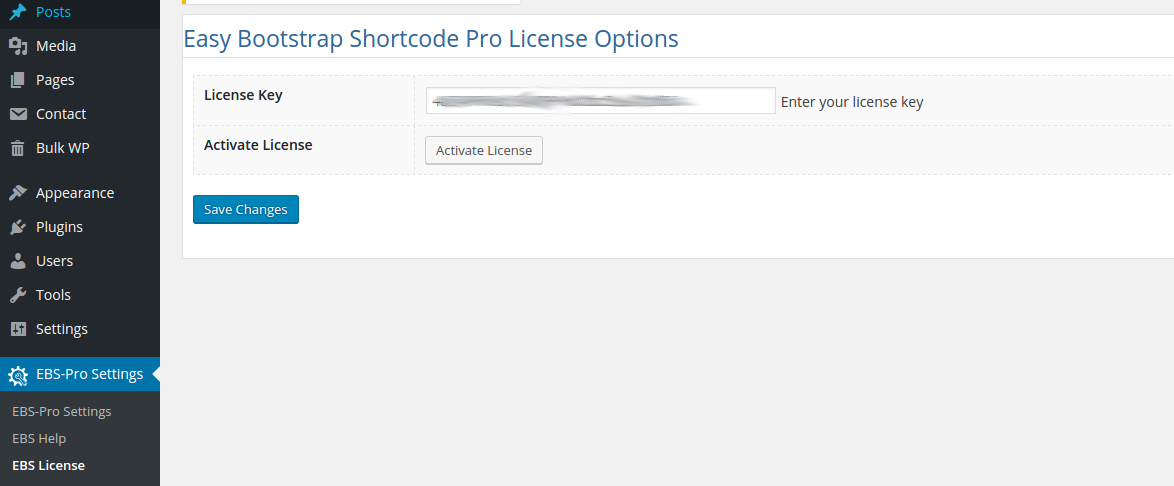
4. It will refresh the page and show the Activate Button, click on that button
5. It will register the plugin.